Fenergo Associations Overview
Capturing accurate Legal Entity Data is a core objective of the Fenergo SaaS platform. Part of this activity includes capturing the relationships to and from other Legal Entities. That interconnected structure of Legal Entities is commonly referred to as a Legal Entity Hierarchy and the process followed to construct such a Hierarchy is known as Unwrapping. The APIs used to build this Hierarchy are called the Association APIs.
| APIs Referenced |
|---|
| Associations Command API |
| Associations Query API |
Hierarchy Structure
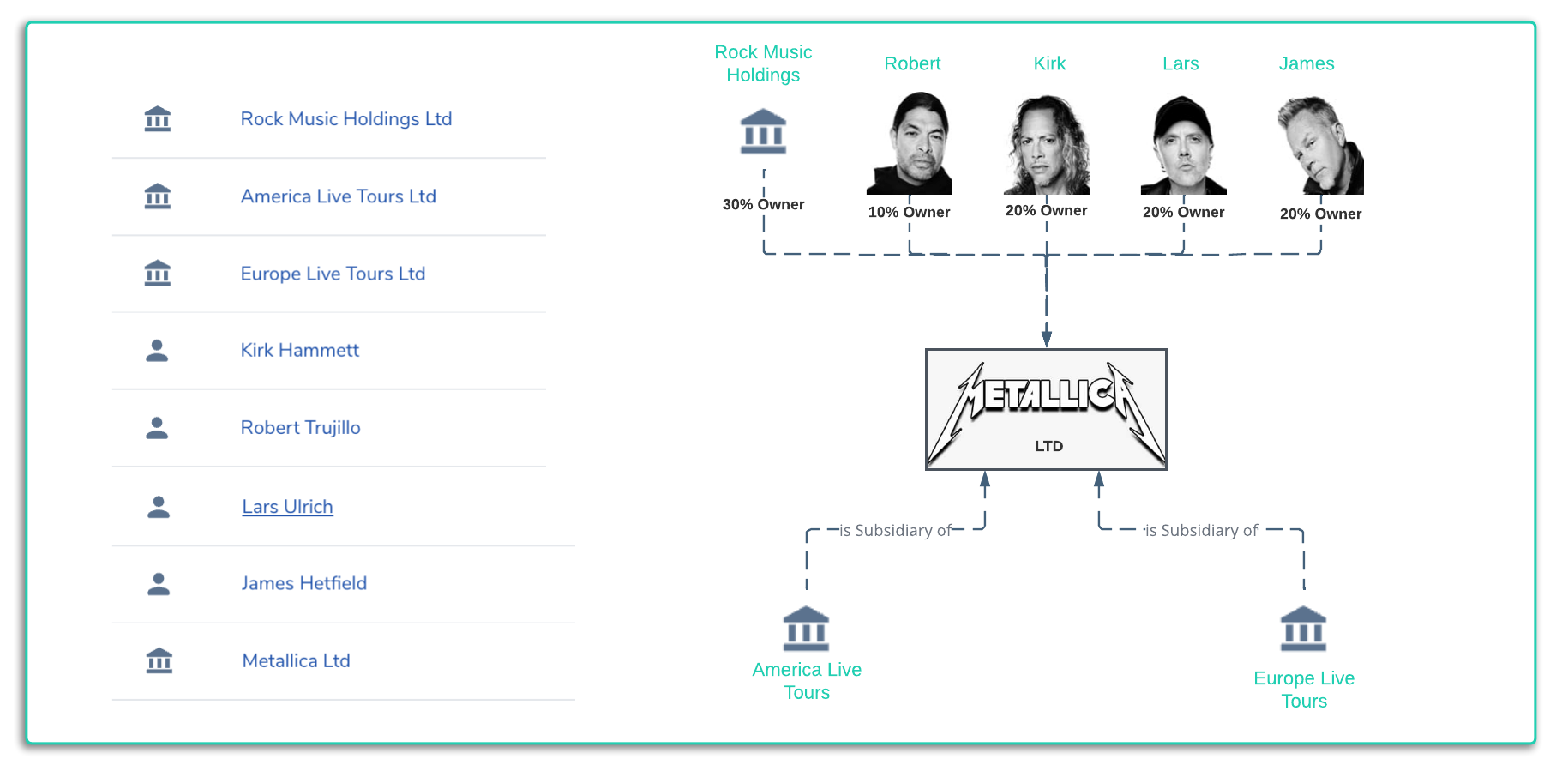
Illustrated below is a list of Legal Entities and a fictional visualization of what the ownership structure looks like. Imagine if the company Metallica Ltd presented as a potential client and wanted to use products and services of a bank. Depending on the products, the locations or any other type of requirements, in order to perform KYC (Know Your Customer) processes on that client, it might be necessary to request all the details of the parties related to Metallica Ltd. This structure is then used within other Onboarding Processes such as screening. As part of the Onboarding Journey, our user interface offers the facility to create this structure and the same can be accomplished via the APIs. Legal Entity hierarchy's can consist of 100's or even 1000's of entities when you start getting lists of Directors, Board Members across entities and sub entities.
Building a Hierarchy
An important distinction to make when creating a hierarchy, is that you are ALWAYS creating INBOUND relationships. All the arrows in the above illustration are pointing towards the Target Legal Entity. Even though logically people might think the ownership has arrows pointing in, and then owned should have arrows point out from the Target Entity, the way the relationship is captured is ALWAYS INBOUND.
The reason why this is the case, is that target entity is the focus of the Onboarding Journey. We are not Onboarding the related parties. Those related parties may have been onboarded already, or they may be in the future. If and when that happens, the relationships captured in this journey will show up as OUTBOUND existing relationships for that entity. The difference as you will see with the APIs is the way an association is created, using the Source ID (the Entity Id of the Entity Being Onboarded) and the Target Id (The Entity Id of the related party).
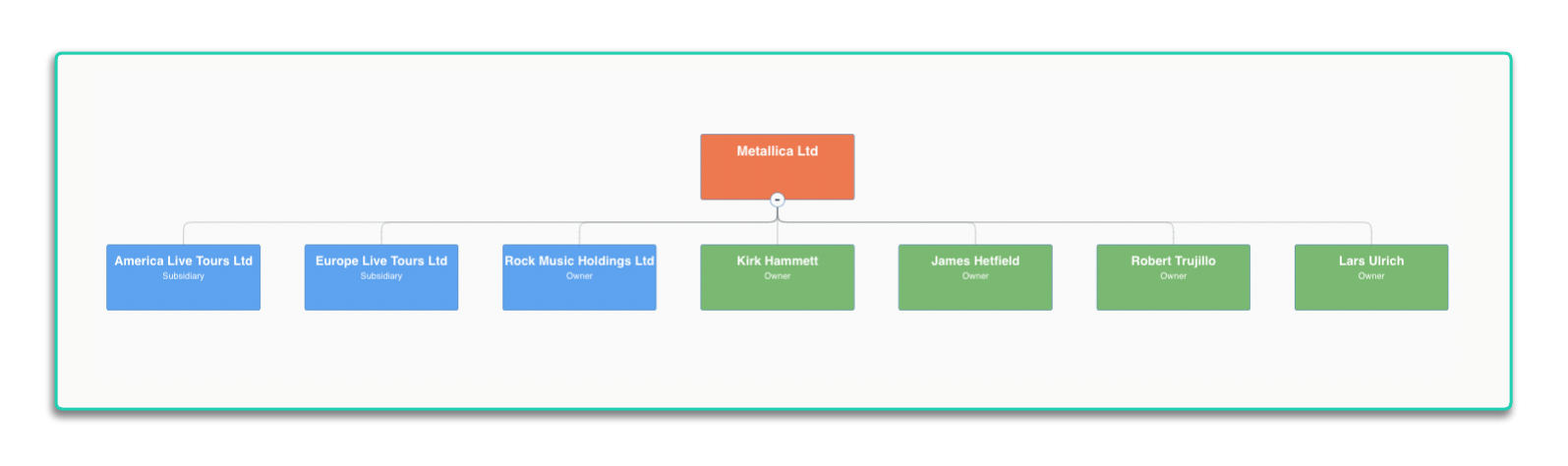
Once this hierarchy is created in Fenergo it can be visualized on the main LE Profile Page as below. Which looks different from the Logic View of the hierarchy we started with above.
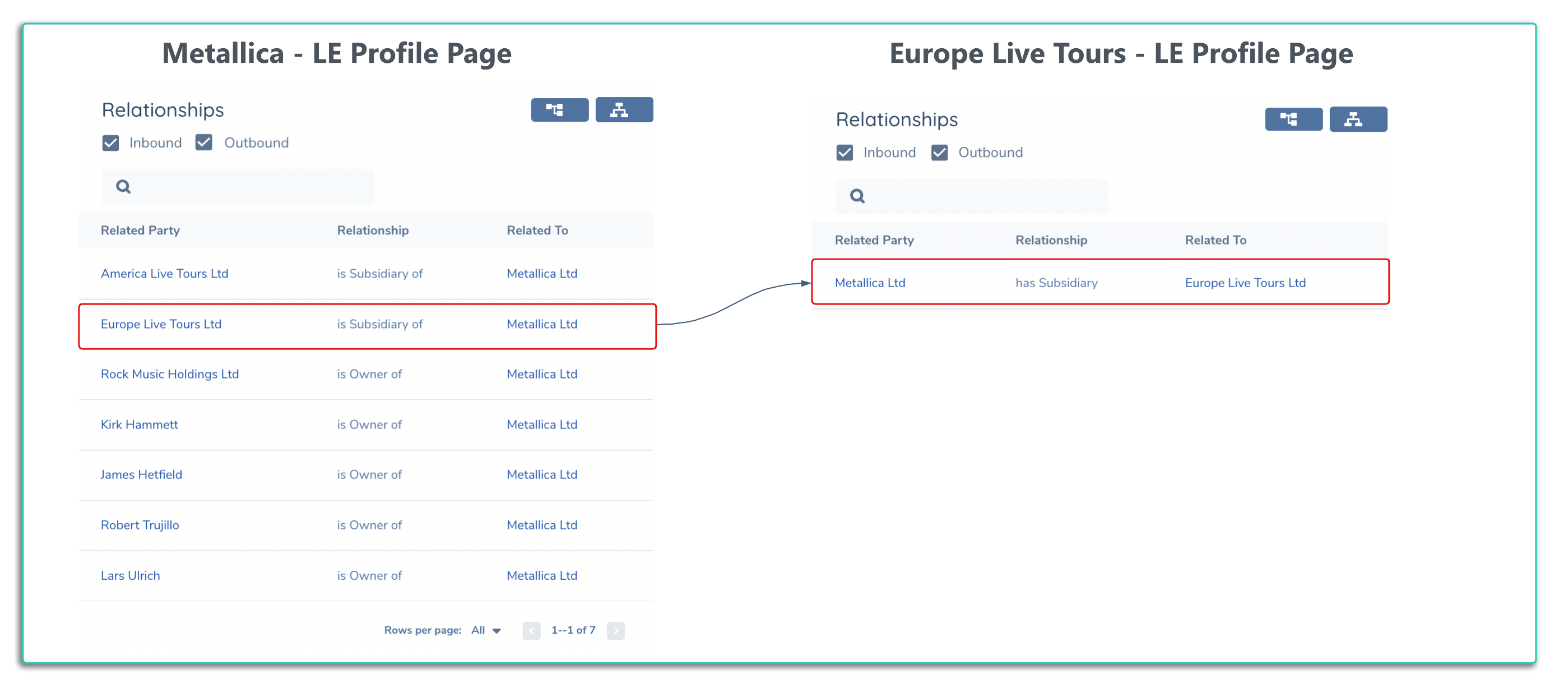
If you navigate to the LE Profile Page, the Inbund and Outbound relationships are listed on the right hand side. The Target Entity is always listed on the right with the source related party on the left. Observe the way the relationship is described. From the Metallica LE Profile Page, Europe Live Tours ltd is subsidiary of Metallica. On the right hand side of the below image when you navigate to the LE Profile page of Europe Live Tours, the association is shown as an Outbound association and now we have Metallica has subsidiary Europe Live Tours Ltd. If Europe Live Tours Ltd was to be onboarded, any existing relationships would be visible to the Onboarding Team.
Association Lifecycle
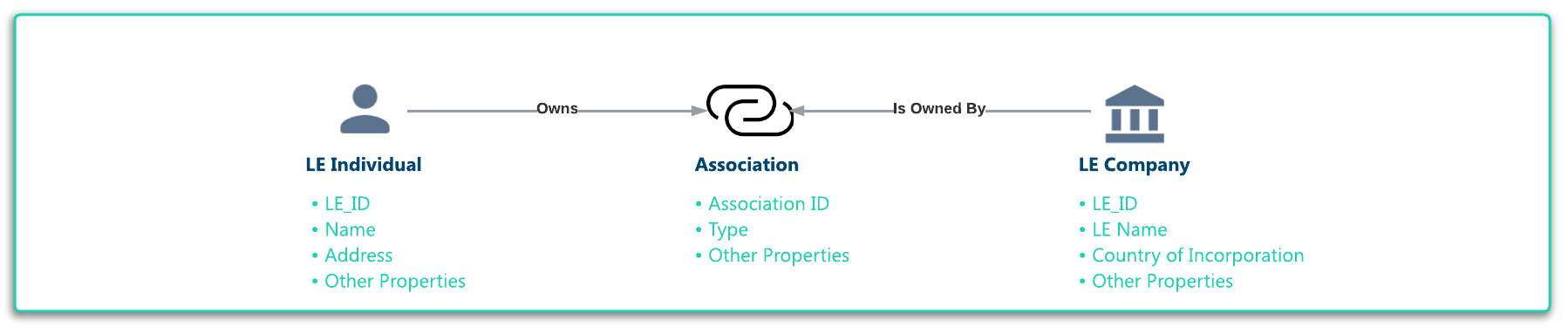
As companies are constantly changing, acquiring or selling assets, updating ownership structures, the data is only accurate at the point in time it is created. These hierarchy's are fluid, so when we talk about Lifecycle of an association, it not only incudes the establishment and verification of an association, but the ability to remove that association at a later point but without the historical loss that the association previously existed at a certain point in time. An association relates two Legal Entities together but it is helpful to think of the association itself as a separate (Non-Legal) Entity or a record of data which captures details about the relationship between entities. As Illustrated below.
Associations can exist in a number of of states and these states represent the lifecycle of an association. Some states are only available at certain points in the lifecycle but in general the progression of states looks as follows.
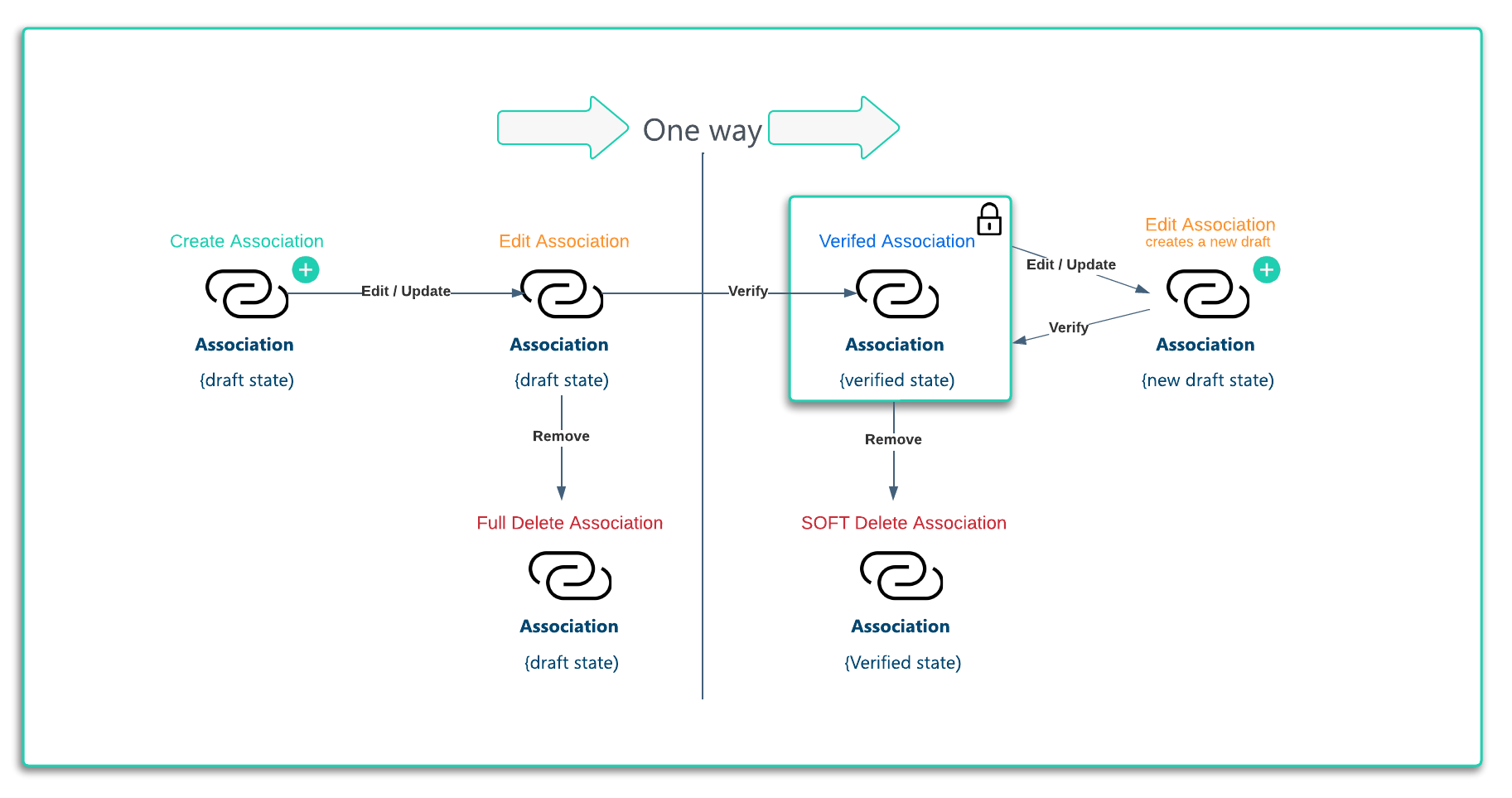
- Create an Association: The starting point for a new association between two entities. The will only show up in the Ownership and Control task of the journey as the initial status will be "isVerified": "false"
- Edit a Draft Association: Before a journey has been completed and the Associations verified, the draft can be edited. Theres no impact on the entity when editing an association.
- Delete an Unverified (draft) Association: If an Association has been added in error, it can be deleted before it is verified.
- Verify an Association: As per the illustration, this is where we pass a One Way line. Once an Association is verified, you can no longer edit that specific association, or delete it. If you choose to edit the association, you will be working with a new draft (unverified) Association. Verified associations cannot be deleted.
- Soft Delete an Association: A soft delete works in the same was as an actual delete in terms of what is presented to the user. The association is removed by marking it for soft deletion. When verified the association appears to be removed. But the historical point in time reference, the data about the association is retained, along with the journey where it was removed.
- Edit a Verified Association (new draft created): When you edit a verified association, what actually happens is that a new association is created, that then when verified takes the place of the previous verified association.
- Verify an edit to existing Verified Association: The previous verified association is Soft Deleted and the new one takes its place.
Association APIs are powerful and it is possible to create and verify an Association between entities solely using the APIs. This all must be done in the context of a Journey. Association Create, Edit, Update and Delete operations all require a Journey Id to be supplied.