Policy Adapters
External Policy Adapters allow you to provide dynamic content to application users in Journey Task UI. There are three types of policy adapters, all of which are supported in Integration Flows.
| Policy Adapter | Function |
|---|---|
| Custom Search Provider | Allows a User to search and filter a dropdown listing content provided by an external source. When a value is selected the adapter can populate either a single entity field or DataGroup record. 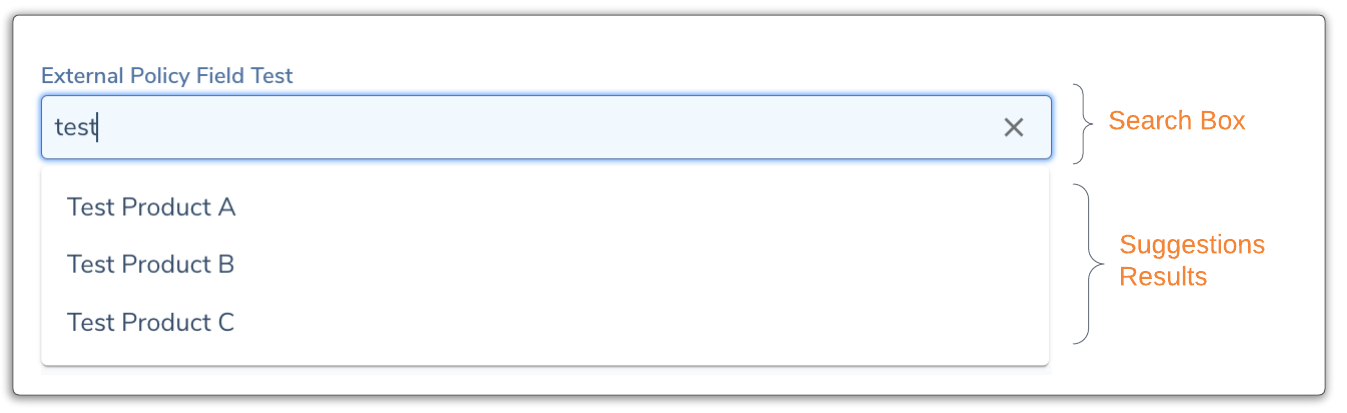 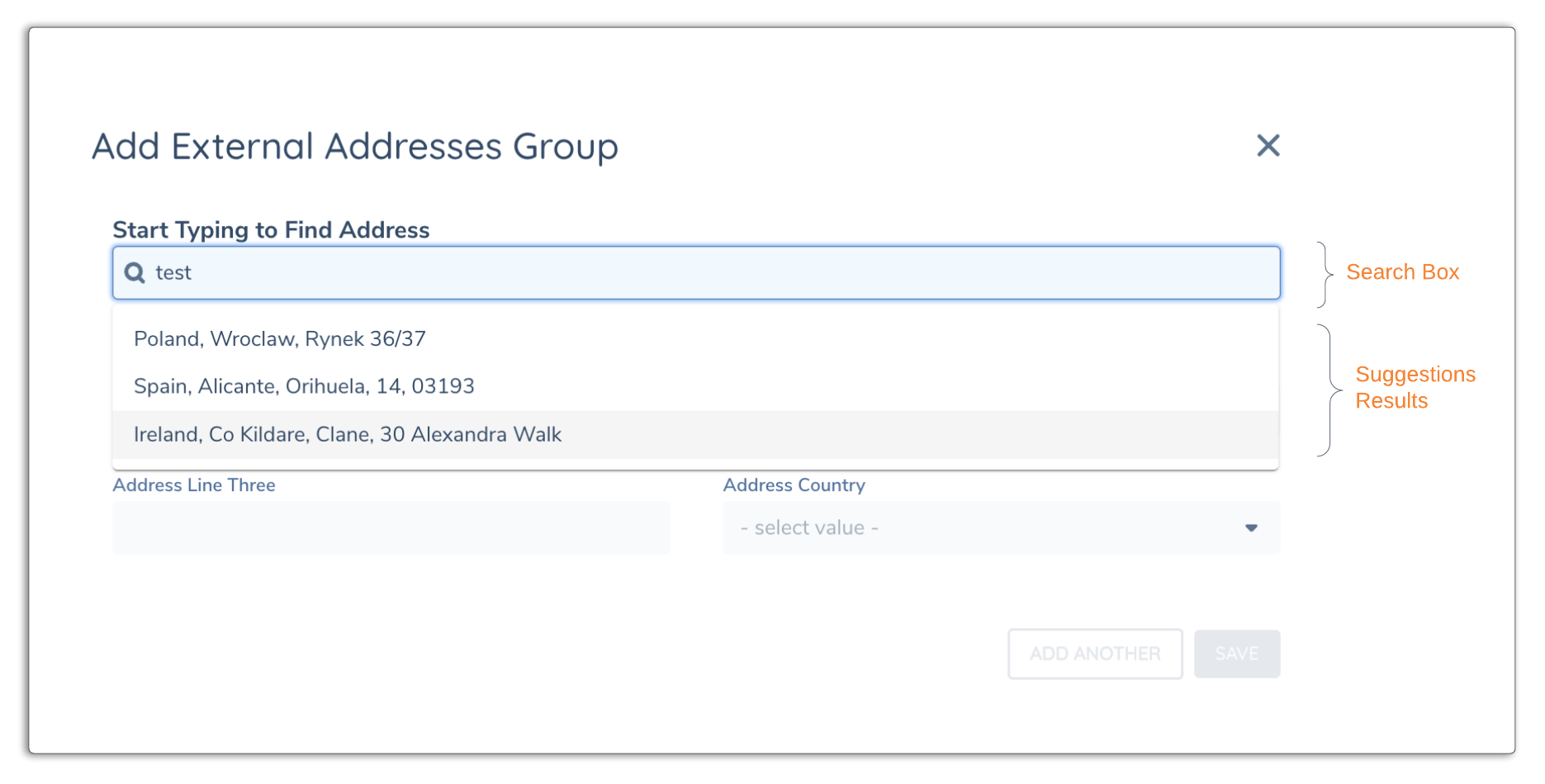 |
| Custom Validation Provider | Allows an external provider or Integration Flow to receive a single field or datagroup and return a validation status and message 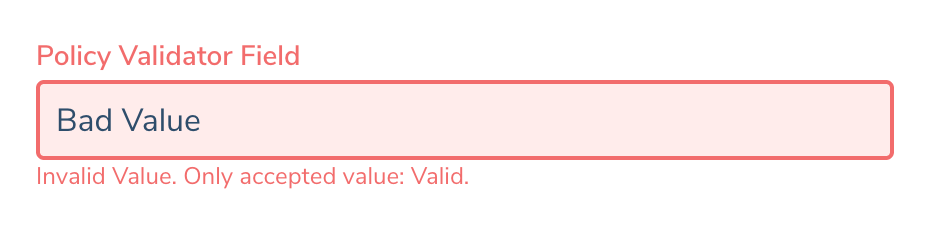 |
| Custom Task Provider | Some Journey Tasks allow you to configure a custom task provider which adds a button to the UI allowing an external service provide custom validation & message. |
Policy Adapters require sychronous communication (Request/Response) and therefore do not support async operations that pause the Flow Execution such as a Wait task or HTTP Callback
Configuring a new Provider
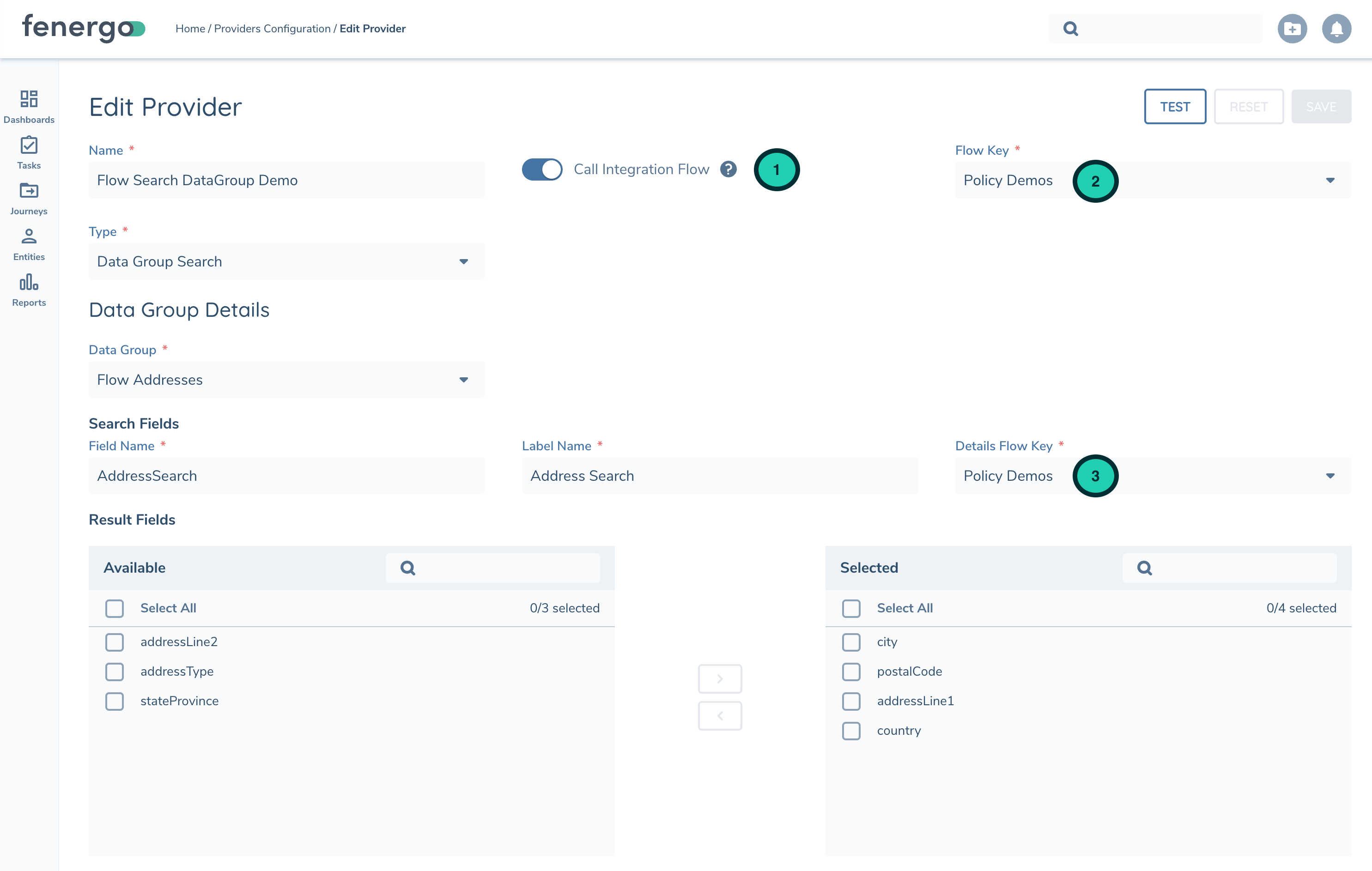
Open the Policy API Providers screen (Policy -> API Providers) and add a new provider based on the desired type. Each policy provider includes a new "Integration Flow" toggle to switch between an external implementation (HTTPS) or Integration Flow. When choosing Integration Flow you'll see a list of published Policy flows.
Runtime Details
The Execution.Request object will store the following data at runtime depending on the type of Policy Adapter being implemented:
| Execution Variables | Description and Data Type |
|---|---|
| Search Provider (Single Field) | |
| FieldName | String. Datakey of field as specified in Policy |
| FieldValue | String. Value entered by User in UI dropdown |
| Search Provider (DataGroup - Search) | Search for DataGroup include two separate calls. - Search: To query matching results (including record identifier) - Get: To retrieve the selected record's details |
| Fields[ {} ] | |
| FieldName | String. Field Name from Provider Configuration |
| FieldValue | String. Value entered by User in UI dropdown |
| Search Provider (DataGroup - Get) | |
| suggestionId | Record Identifier to retrieve the complete details |
| Validation Provider (Single Field) | |
| FieldName | String. Field Name from Provider Configuration |
| FieldValue | String. Value entered by User in UI dropdown |
| EntityId | |
| EntityDraftId |