Router
The Router Task allows you build conditional logic to determine next task in your Flow. Use this Task Type to handle things like...
IF Entity Type is Individual GO TO Individual Mapping Task
ELSE IF Company GO TO Company Mapping Task
ELSE GO TO Group Mapping Task
IF Server returned error or message invalid GO TO Error Handler Task
  IF More Entities to Process GO (back) TO Start
  ELSE Continue
Configuration
The Router Task lets you define one or more routes. Evaluated Routes are conditional based on configured expressions that must resolve to 'true' to forward the Flow down that path.
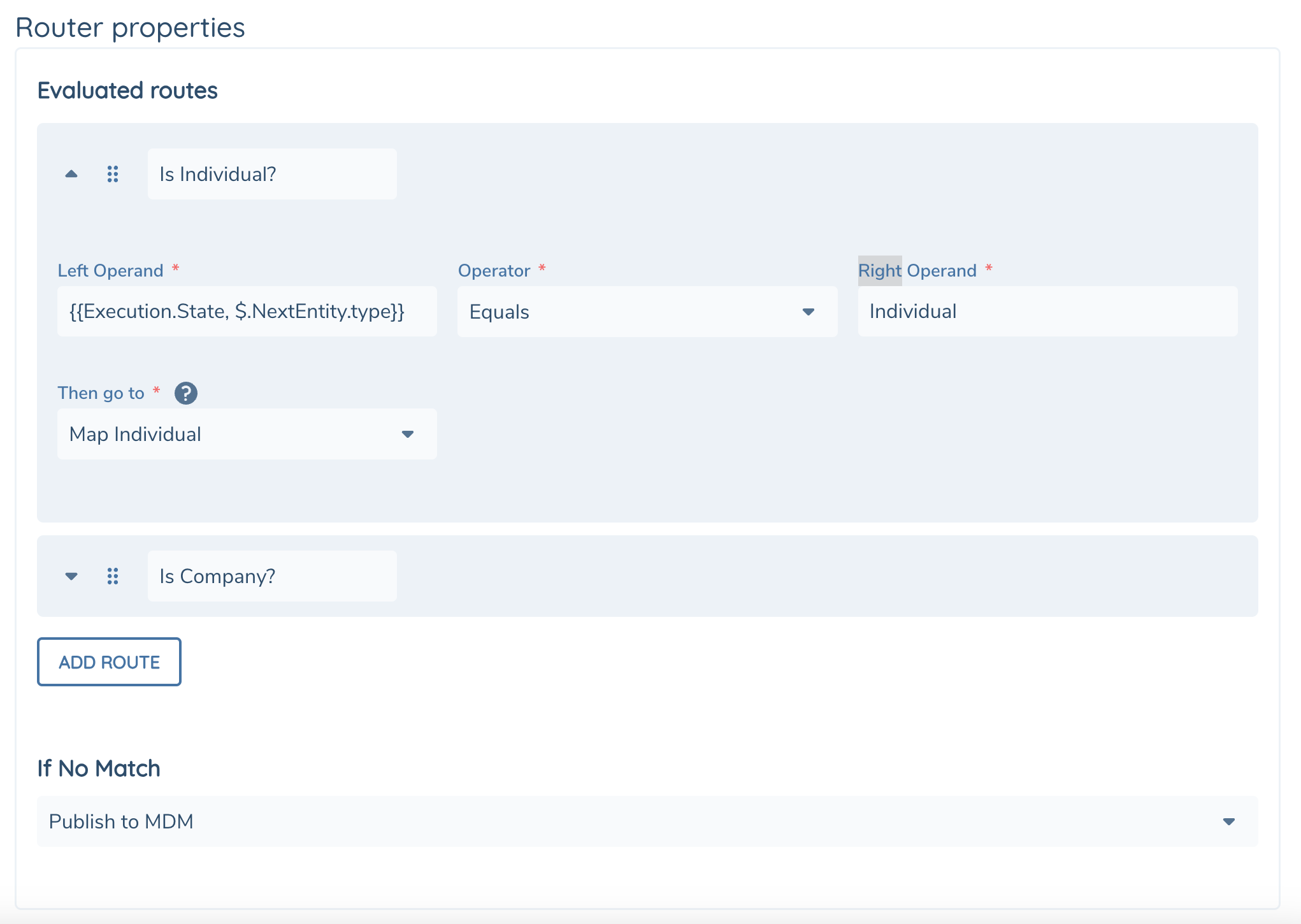
Evaluated Routes
Evaluated Routes are conditional branches, they control your "IF / ELSE IF" Logic. Each route will have a Name, followed by an expression to test. If the expression evaluates as true then the route will determine which next task to execute.
Each route will be evaluated in the order it appears in the list. The Router Task will complete and move on to the next task according to the first matching route. The order of routes can be changed by click and dragging the route using the grab icon next in the top-left corner.
| Field | Description |
|---|---|
| Name | Friendly name to give your evaluated route for readability |
| Left Operand | First input into the expression. You can use text, numbers or variables. |
| Right Operand | Second input into the expression. You can use text, numbers or variables. |
| Operator | The operation to apply to both Operands. - Equals - NotEquals - GreaterThan - GreaterThanOrEquals - LowerThan - LowerThanOrEquals - IsNull - IsTrue - IsFalse - StringContains - StringNotContains |
| Then Go To | The next task to execute if expression is true. The dropdown will list all available task in your Flow. If you haven't yet created the Task you can do so using the '+' button in the quick actions bar |
If No Match The If No Match dropdown is your default route if none of the Evaluated Routes evaluate as true.
Task Output
The Router Task does not return any output.