Storage
The Storage Task lets you create/update, retrieve, search for, and delete files. Use this to share data between Flow Executions or store details of a previous execution and access it on subsequent runs (think: Batch Jobs need to store last timestamp ran or last JourneyID processed).
Configuration
The storage task has four operations:
- Put Record
- Query By Key
- Query By Prefix
- Delete Record
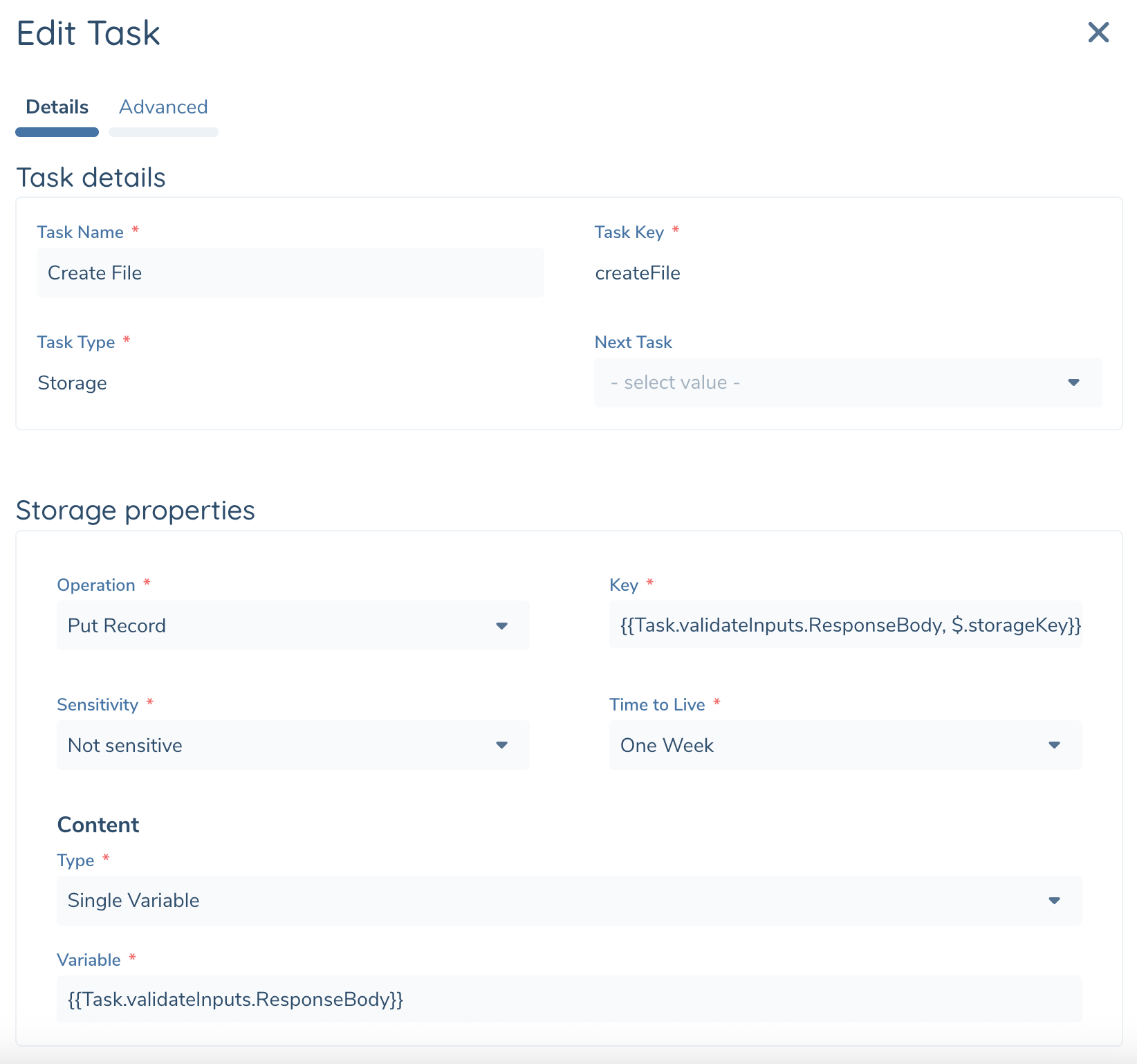
| Operation / Configuration | Description |
|---|---|
| Put Record | Create a short-lived file or update a file if the filename already exists. |
| Key | Name of file. All files created by the Storage Task exist in a single shared folder for the tenant. |
| Sensitivity | Files can be accessed from Flow Studio to allow for debugging / review provided your User has two new Integration Flow app permissions: “Persisted Storage Access” and “Persisted Storage Get”. It is expected that sometimes a file will contain sensitive data. For this we’ve created an separate permission “Persisted Storage Get Sensitive Record” to further restrict access. Options: - Sensitive - Not Sensitive |
| Time to Live (TTL) | All files created by Storage Task are temporary and will be deleted once the TTL expires to conserve space. Each time a file is updated (using the PUT operation with a filename of an existing file) the TTL will be extended. Options: - One Week - One Month |
| Content | Templated Input. This is the content of the file. Supports JSON & Text formats currently. |
| Query by Key | Returns the content of the matching file in full or partial. Throws an exception if no matching file is found. |
| Key | Name of file to retrieve |
| Partial Read | Indicates if full file should be read or partial. Following options determine how much data is read and from where in the file when partial reading. |
| Batch Size | Number of lines to read from the file. A line is denoted by CRLF or LF (Carriage Return \r + Line Feed \n) characters. |
| Start Byte Position | Location in file where to start reading. Start of file begins at Position 0, inspect task output to see where the previous partial read operation finished. |
| With Headers | Optionally includes headers as the first row with each subsequent partial read. |
| Query by Prefix | Returns a list of file names that match a prefix. |
| Prefix | Text to search. |
| Delete Record | Deletes the matching file. Throws an exception if not matching file is found. |
| Key | Name of file to retrieve |
Task Output
Returns the output from the invoked flow that can be used in subsequent tasks.
| Operation | Output Variables | DataType | Description |
|---|---|---|---|
| Put Record, Delete Record | OperationOutput | Text | Success or Failure |
| Query By Key | StorageRecord | Json Object | File details and content |
| Content | Json Object | Json content of file | |
| FileIdentifier | string | File name | |
| FileSize | Number | Size of file in bytes | |
| Sensitivity | String | Sensitivity level of the file. Values: - Sensitive - Not Sensitive | |
| LastModified | DateTime | Date and time last modified | |
| ExpirationDate | DateTime? | Date and time when document will be purged | |
| ExecutionId | Guid | ExecutionId that created or last updated the file | |
| Query by Prefix | RecordsList | Collection | Collection of Storage Records matching your Prefix |
| FileIdentifier | string | File name | |
| FileSize | Number | Size of file in bytes | |
| Sensitivity | String | Sensitivity level of the file. Values: - Sensitive - Not Sensitive | |
| LastModified | DateTime | Date and time last modified | |
| ExpirationDate | DateTime? | Date and time when document will be purged | |
| ExecutionId | Guid | ExecutionId that created or last updated the file |