Fenergo Screening Overview
As standard part of KYC / AML activities is Legal Entity Screening. This is done to discover information which might factor into the Risk level allocated to that client. The Fenergo SaaS Platform has out of the box integration with the Data providers Lexis Nexis, GRID (formerly RDC) and World Check One (WCO) but also supports the implementation of an adapter pattern that can be used to connect to a clients own custom or on-premises screening provider.
| APIs Referenced |
|---|
| Screening Command |
| Screening Query |
Screening Core Functionality
The core functionality in The Fenergo SaaS Platform is the same regardless of the underlying provider:
- Search criteria from the legal entity data which is gathered in a journey (or pre-existing) is sent to the Screening Provider.
- This request is referred to as the creation of a Batch screening request.
- This data is checked against the providers database of information and a set of results (potential matches) is returned against the search request if any results exists.
- A KYC/AML analyst then examines the details of the results against what they know about the legal entity.
- The analyst then marks these potential match results as "True Matches" or "False Positives".
- The screening batch is then marked as Complete and the Legal Entity can be included for Ongoing Screening if the provider supports this functionality.
The sequence of events for screening is outlined in the below diagram. From a user interface perspective, this interaction is configured into a Journey via a Screening Task but the interactions via the APIs is the same.
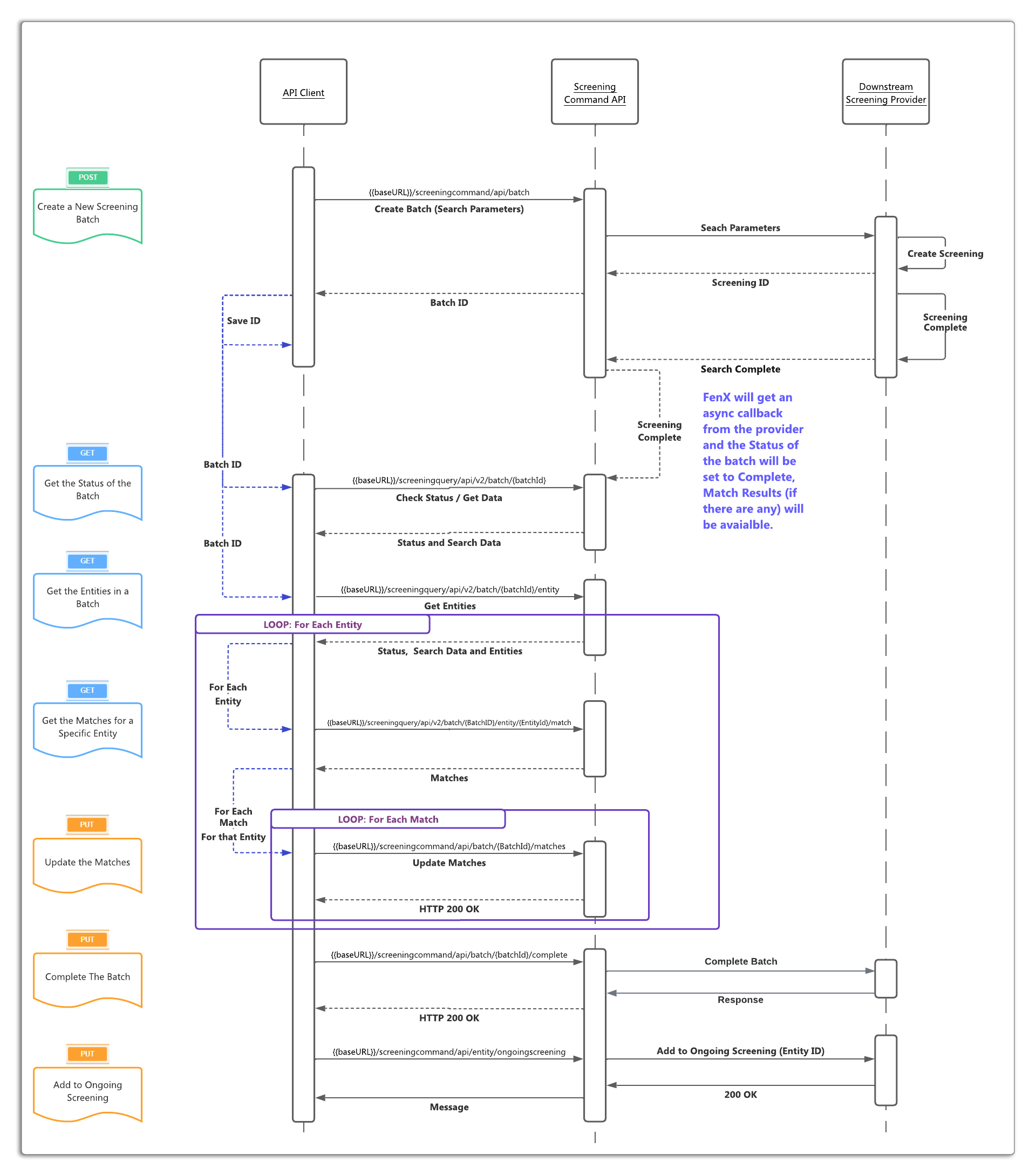
The Fenergo SaaS Platform Screening as a Service
Users can choose to utilize Screening Functionality outside the scope of a journey, this can be achieved via the APIs where users want to just perform screening and not Create Entity's on The Fenergo SaaS Platform or manage those entities via a journey flow.
The Fenergo SaaS Platform Screening as part of A Case
If a Journey has been configured with a Screening Task, the API methods mentioned have variations to track against a journey. In this scenario, it can be assumed that the batch creation process is handled automatically via the journey and potentially the API may just be used to retrieve or update screening match results.
The Fenergo SaaS Platform Ongoing Screening
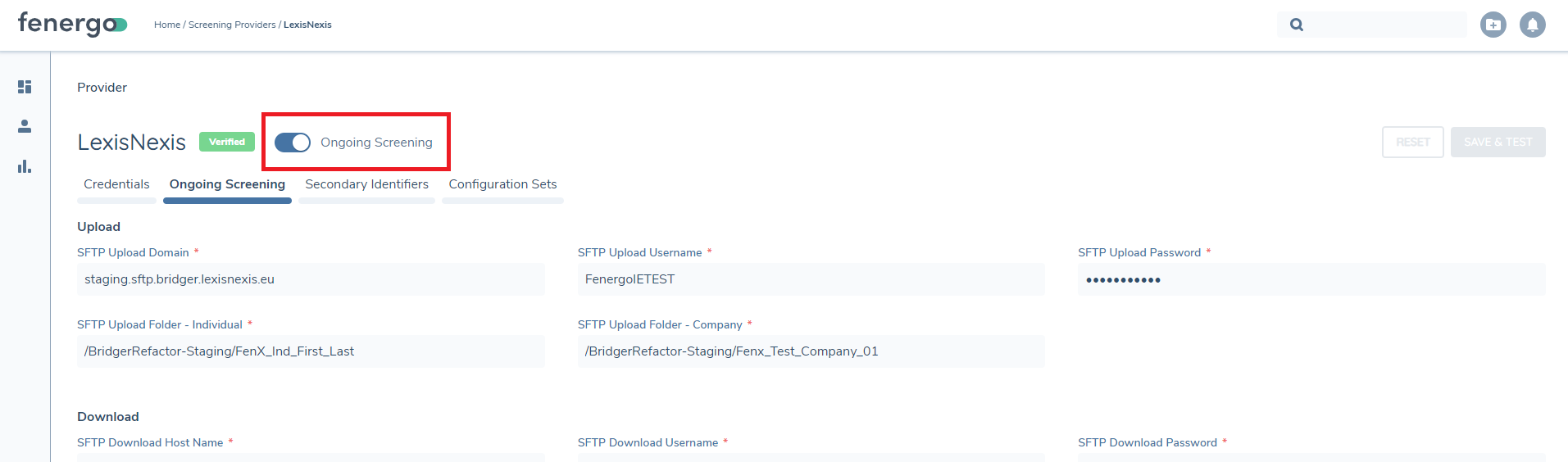
The screening provider configuration inside The Fenergo SaaS Platform has an "Ongoing Screening" setting which can be enabled inside the configuration screen. This is applied to all Screening Activities performed via the UI / Journeys.
Performance Guidelines and Limitations
- API Payload Response Limit: There is a 6MB limit on the API payload response returned from the Screening Providers.
- Limits on Screening Results: Due to the payload response limit, there are restrictions on the number of Screening Results that can be consumed into Fen-X. The number of results that can be supported will depend on the size, measured in number of characters, of individual hits within the results.
- Impact of Individual Hit Size (in Characters): The number of entities or hits that can be supported does not have a precise limit. It will vary depending on the size of individual hits. Some hits may have extensive Biography/Profile data spanning multiple pages, while others may have only a single sentence. This size difference significantly affects the number of hits that can be supported.
- Tested Scenarios and Results: The systems capabilities have been evaluated through various test scenarios. The obtained results provide an overview of the supported functionalities based on these tests:
| Entity | No Matches | Size | No of Entities Supported |
|---|---|---|---|
| Entity A | 4 | 9,050 | 700 |
| Entity B | 19 | 57,480 | 275 |
| Entity C | 20 | 113,000 | 150 |
| Entity D | 36 | 126,576 | 225 |
| Entity E | 22 | 395,490 | 25 |
| Entity F | 40 | 434,460 | 30 |
The number of entities supported refers to the number of entities of that size that can be supported in a single batch.
Please ensure that you consider these performance testing results and associated limits when utilizing the Screening service.