Configuring the GRID Integration
GRID Fenergo SaaS Settings
The following settings can be configured for GRID:
- Multiple Firms: If multiple Firms are configured in the GRID account, this should be enabled, otherwise it should remain disabled.
- Firm ID: Where multiple Firms are enabled, the Firm ID that should be used.
For further information on any of the specific settings mentioned above, please consult your GRID documentation or contact your GRID administrator.
Ongoing Screening
Ongoing Screening (OGS) is supported in GRID. When OGS is enabled in Fenergo, entities that are screened will be enabled for OGS in GRID. If OGS is enabled, GRID checks for updates to entities once every 24 hours.
How GRID chooses the configuration for OGS: For OGS, GRID monitors the entity in the same Firm used for its initial On Demand Screening (ODS).
Implications:
- You cannot select a separate OGS configuration in Fenergo; OGS follows the Firm used for the entity’s ODS.
- If you need OGS under different Firms, perform ODS in those specific Firms. OGS will then continue in the same Firm as that ODS.
Mapping Fenergo SaaS Screening Resolution Reasons
Fenergo SaaS reasons can be configured to map Grid resolution reasons. The Screening Resolution Reason lookup Reference Data Value must match any Description from the following list:
| iCAD Reason Code Mapping | Description | Type |
|---|---|---|
| AIN | Insufficient Information | ALERT (ALT) |
| AIR | Matched but Irrelevant | ALERT (ALT) |
| AME | Matched Entity | ALERT (ALT) |
| RFI | Requires Further Investigation | ALERT (ALT) |
| CFP | False Positive (Greylist) | NOMATCH (NMH) |
| DOB | No DOB Match | NOMATCH (NMH) |
| DUP | Duplicate Information | NOMATCH (NMH) |
| INS | Insufficient Information | NOMATCH (NMH) |
| IRI | Irrelevant Information | NOMATCH (NMH) |
| KNO | Known Entity | NOMATCH (NMH) |
| NAR | Not AML related | NOMATCH (NMH) |
| NGM | No gender match | NOMATCH (NMH) |
| NLA | No longer associated | NOMATCH (NMH) |
| NLM | No location match | NOMATCH (NMH) |
| NNM | No name match | NOMATCH (NMH) |
| NOM | Not a match | NOMATCH (NMH) |
| PRR | Previously remediated | NOMATCH (NMH) |
No match reasons that can't be mapped will default to 'Not a Match' reason from Grid.
Match reasons that can't be mapped will default to 'Matched Entity' reason from Grid.
Grid Country List for Secondary identifiers
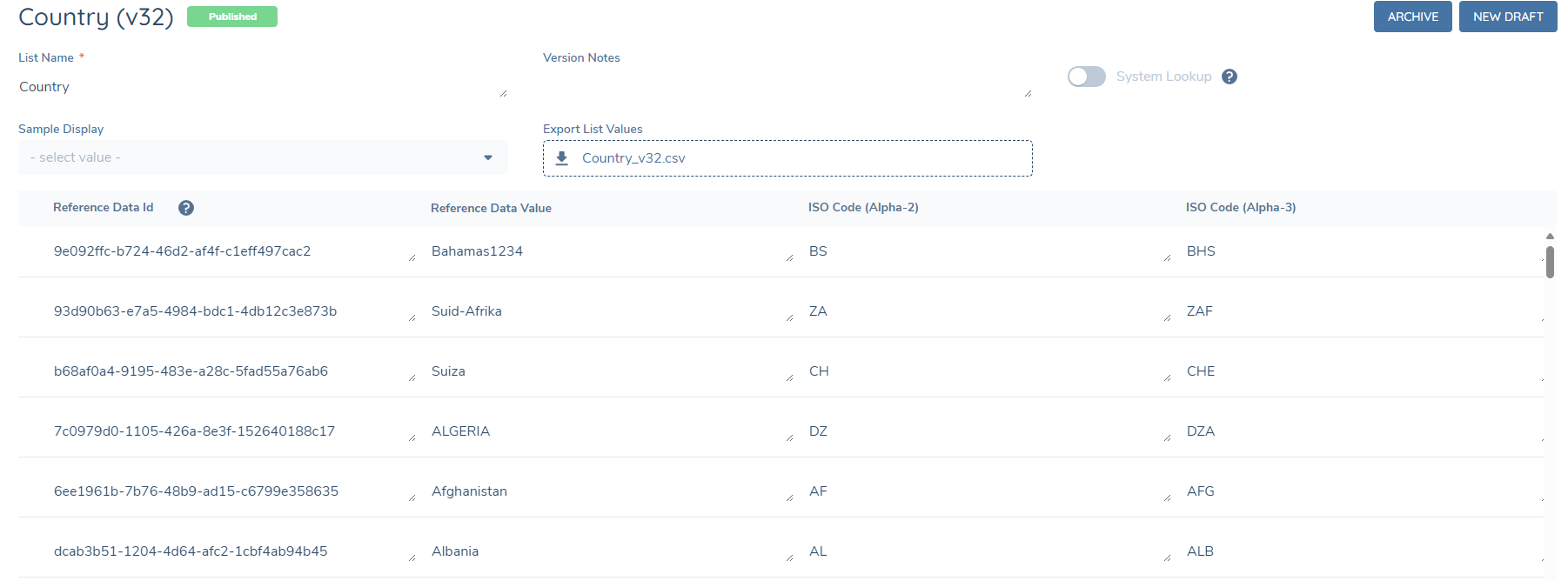
Fenergo SaaS uses the country name or, if configured, the ISO Alpha code to map with the country list from the screening provider. For Grid, if the ISO Code (Alpha-2) column exists and contains a value for a country, the system will send the ISO code on top of the country name to the adapter and the adapter will use this instead. This allows clients the flexibility to either standardise country mapping using ISO codes or continue using country names as needed.
To enable this functionality to use their own country names for screening, users must configure the 'ISO Code (Alpha-2)' column in their Country Reference Data List. The value in this column must be an exact match to the relevant ISO Code (Alpha-2) in this document to ensure correct processing: GridCountryList. Users can input their own country names in the format they require in the "Reference Data Value" column. If the 'ISO Code (Alpha-2)' column does not exist or is empty, the country name will be sent instead, and Grid will perform the mapping accordingly.